Games for Nonverbal Kids: Playing Without Words
By Karim Hadid, who makes Oopsies · Last updated October 16, 2026
Lots of games quietly expect a child to read instructions, answer out loud or type a name. For a nonverbal or nonspeaking child, that can shut them out of a game they'd otherwise enjoy. This page covers what to look for, exactly where words show up in Oopsies, and ways to play together without them.
First: Oopsies isn't a communication app
AAC (augmentative and alternative communication) means the ways people communicate besides speech, from pointing to pictures to apps and devices that speak. If you're looking for AAC for your child, a speech-language pathologist can help you choose, and this explainer backed by the American Speech-Language-Hearing Association describes the options. Oopsies is a game: it can sit alongside AAC, but it doesn't replace it.
What to look for in a game for a nonverbal child
-
No reading needed
What to do is shown with pictures, and the buttons look the same and sit in the same place every time, so they can be learned by sight.
-
No speaking needed
No voice commands, no "say the word" levels, nothing that waits for your child to answer out loud.
-
No typing
No name to type, no account to create, no chat box.
-
Sound is optional
Nothing depends on hearing an instruction, so the game still works with the sound off.
-
One action you can show
One thing to do, simple enough that you can show it once with your finger instead of explaining it.
-
Feedback you can see
A clear sign of right and wrong on screen, not just a voice saying "well done".
Two of these come straight from the Game Accessibility Guidelines: instructions shouldn't rely on text alone, and speech should never be required to play. For the full list of what to look for, see our autism-friendly games guide.
Where words show up in Oopsies
We went through every screen of the game. Here's what's written on each one, and whether your child needs it.
| Screen | Words on it, and are they needed? |
|---|---|
| First launch | "Oh no, I lost my friends! Will you help me find them?" and a big "Yes" button, then a first practice level. Needed to play? No. A grown-up can tap Yes, or show your child the big button. |
| Home screen | World names on colorful cards, and a few small buttons (restart, leaderboard). Needed to play? No. Each world is a card with its own colors and Oopsies on it; tapping the card opens it. |
| Start of each level | The level number, a short line such as "Find this Oopsie:", "Whose shadow?" or "Find the twins!", and a "Find" button. Needed to play? Mostly no. A big picture shows who to find, and Find is always the big button at the bottom. You may want to show each world's twist the first time. |
| While playing | "Find" next to a small picture of the Oopsie at the top ("Who?" in Peekaboo, "Twins" in Double Trouble), and the timer. Needed to play? No. The picture is what matters. Family Reunion shows the family's feature as a little icon and a counter, with no words. |
| After each find | The Oopsie's name, its collector card with a short funny story, and "Share" and "Next Level" buttons. Needed to play? No. The stories are fun to read aloud together, but nothing depends on them. |
| Occasional pop-ups | A request to rate the game at the end of some worlds, and an offer of notifications once every world is done. Needed to play? These are for grown-ups: both have a "Not now" button. |
Nowhere does the game ask your child to say or type anything. Oopsies signs in without an account and gives each player a random, funny nickname the first time it opens.
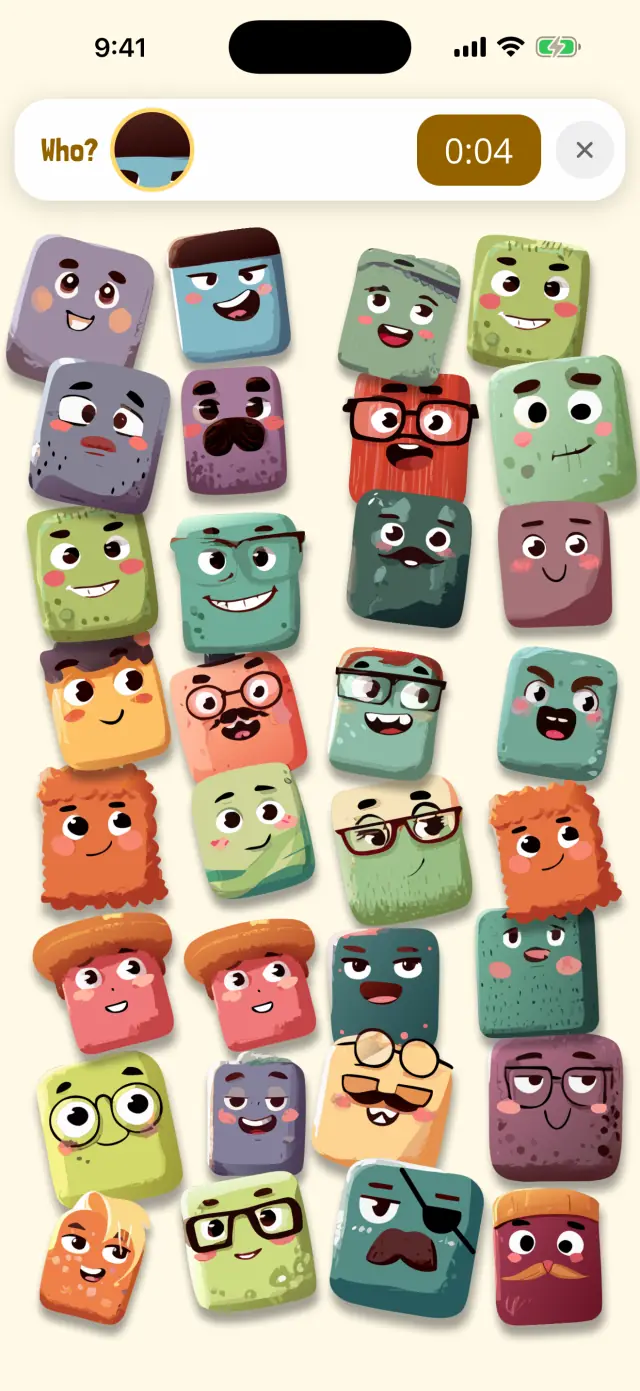
🔍 Peekaboo
Only a tiny bit of the Oopsie is showing.
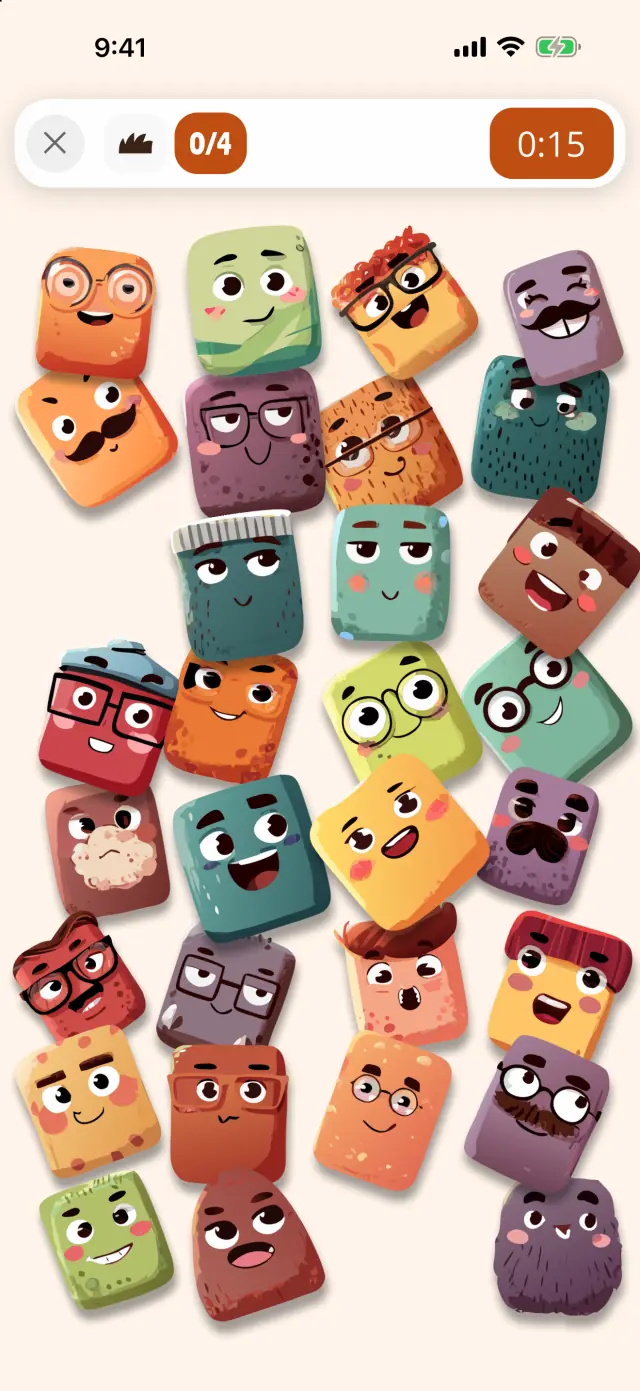
👨👩👧 Family Reunion
Find every Oopsie of the family.
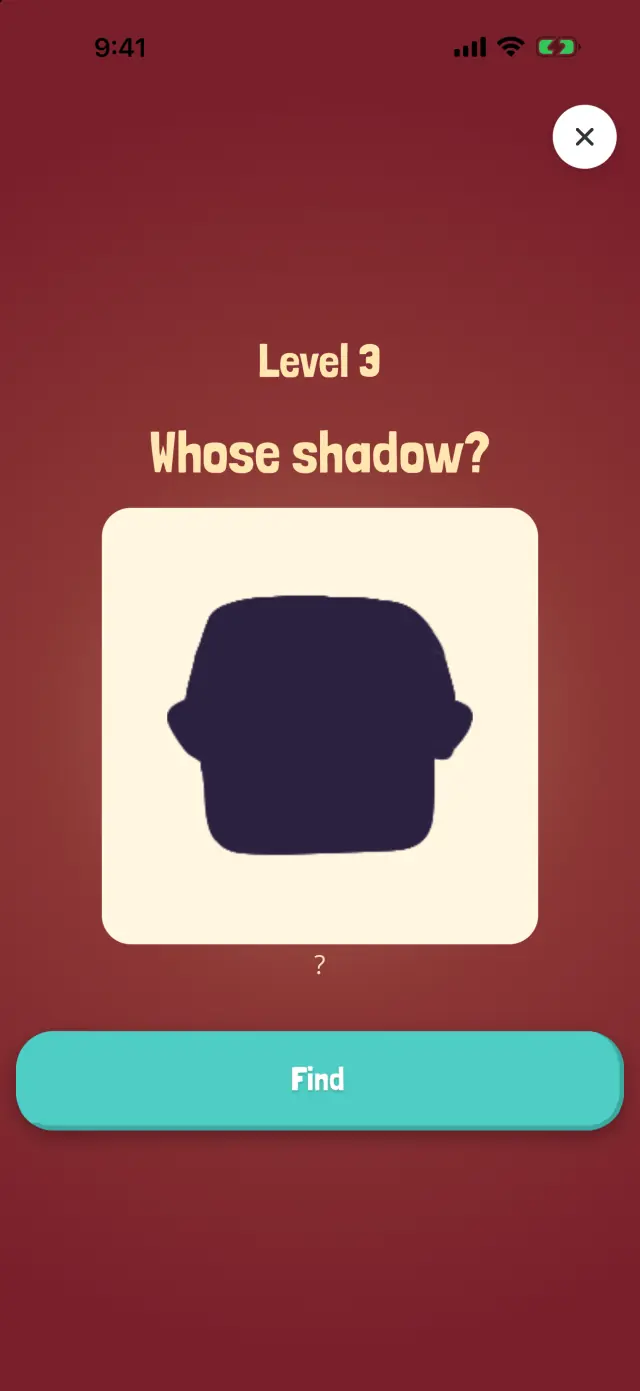
🌑 Shadow Show
Which Oopsie casts this shadow?
How a round goes, without words
- See who to find. A big picture of the Oopsie (or its shadow, or a close-up) fills the start screen. Tap Find.
- Look and tap. The picture stays at the top of the screen while your child looks. In some worlds, a hint (a glowing ring, or a close-up that zooms out) appears after about 30 seconds without a find.
- See the result. A wrong tap makes the Oopsie shake. A right tap makes it jump with a burst of stars, then its collector card appears.
- Next. The victory screen waits until someone taps Next Level, so there's always a pause between levels.
If the sound helps your child, the giggles and "oops" add to the feedback. If it doesn't, everything still shows on screen with the sound off. For how to set up sound, motion and the timer, see sensory-friendly games.
Ways to play together without words
- Show, don't tell. Point to the picture at the top, then to the Oopsie on the board, and tap it together the first time.
- Take turns. One level each, passing the device back and forth.
- Let your child choose. On the home screen, every world is a card: let your child pick where to play by tapping one.
- Celebrate the find. A high five, a thumbs up or a shared look works as well as any word.
- Keep their way of communicating close. If your child uses AAC, keep it within reach while you play, so they can join in their own way.
Questions from parents
Can a nonverbal child play Oopsies?
Yes, nothing in Oopsies needs reading, speaking or typing. The Oopsie to find is shown as a picture, and the main thing to do is tap it. A grown-up may want to show the first level and each world's twist, since the short instructions on start screens are written.
Is Oopsies an AAC app?
No. AAC (augmentative and alternative communication) means tools that help people communicate, from pointing to pictures to apps and devices that speak. Oopsies is a game. If your child needs a way to communicate, a speech-language pathologist can help you find the right AAC.
Will Oopsies help my child talk?
We don't claim that. Oopsies isn't designed to teach speech or language. For communication goals, your child's speech-language pathologist is the right person to ask.
Does my child need to type a name for the leaderboards?
No. Oopsies signs in without an account and gives each player a random, funny nickname the first time it opens. There's nothing to type anywhere in the game. With the timer hidden, the leaderboard buttons are hidden too.
Can my child play with the sound off?
Yes. Nothing in the game depends on hearing a sound. The speaker button at the top right of the home screen turns every sound off. Use it rather than the iPhone's silent switch: Oopsies plays sound even on silent.
About this page
Written by Karim Hadid, the independent developer who makes Oopsies. Karim isn't a clinician: this page describes the game and points to other sources. It isn't medical advice.
Reviewed by: not reviewed yet. We're looking for an occupational therapist or speech-language pathologist to check this page, and their name will appear here.
How we checked: every point about Oopsies was checked in the game's code.
A note on words: some autistic people and families prefer "nonspeaking", because not speaking out loud doesn't mean having nothing to say. Many parents search for "nonverbal", so we use both. There's no single right way to talk about autism (British Psychological Society).
Sources
- Augmentative and Alternative Communication (AAC). Communication Health Support Association, with the American Speech-Language-Hearing Association (ASHA).
- Game Accessibility Guidelines, full list.
- What is the correct way to talk about autism? There isn't one. British Psychological Society, Research Digest.
Spotted something wrong, or have a tip from your own family? Write to playoopsies@gmail.com.
Try Oopsies together
Free, no ads, no in-app purchases, and nothing to read, say or type to play. Show the first find, then let your child take over.